Automations
Automations bring multi-step workflow capabilities to Chaos Cypher, enabling you to build automated knowledge extraction and processing pipelines.
Workflows
Managing Workflows
- Web UI
- CLI
- API
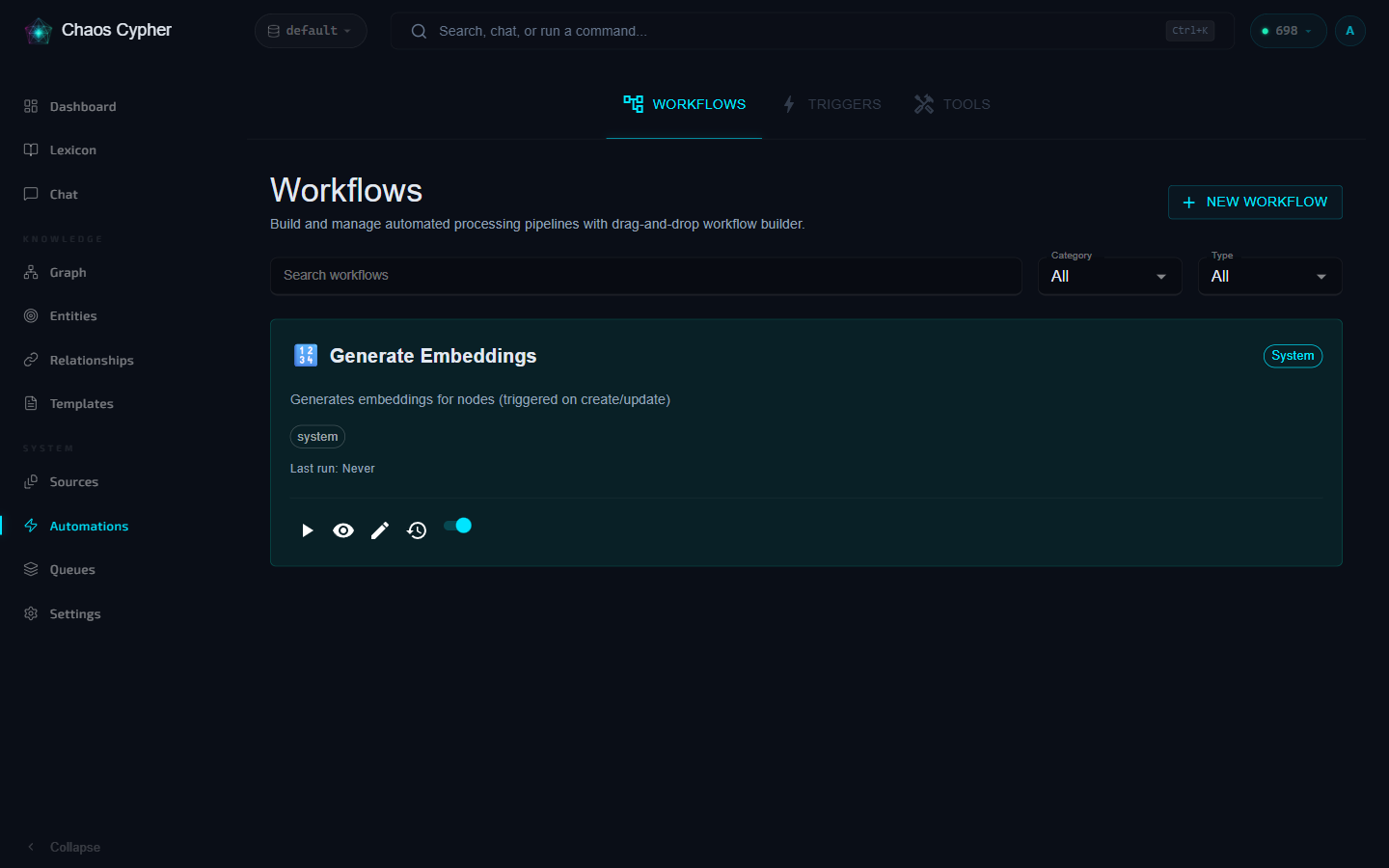
Navigate to Automations in the sidebar, then open the Workflows tab, to create, view, edit, and delete workflows.
# List all workflows
chaoscypher graph workflow list

# View details of a specific workflow
chaoscypher graph workflow get entity-extraction

# Verbose view with step counts
chaoscypher graph workflow list --verbose
GET    /api/v1/workflows              # List workflows
POST   /api/v1/workflows              # Create workflow
GET    /api/v1/workflows/{id}         # Get workflow
PATCH  /api/v1/workflows/{id}         # Update workflow
DELETE /api/v1/workflows/{id}         # Delete workflow
See the Workflows API Reference for request/response details and examples.
Workflow Steps
Workflow steps form a dependency graph: each step lists the steps it depends on via depends_on. Steps whose dependencies are all met run in parallel; a step with multiple dependencies waits for every one of them, and a failed step stops everything downstream of it. A purely linear workflow (each step depending on the previous one) still runs one step at a time. Steps reference tool plugins for execution logic.
- Web UI
- API
Use the visual workflow builder to add, configure, reorder, and connect steps using drag-and-drop.
GET    /api/v1/workflows/{id}/steps              # List steps
POST   /api/v1/workflows/{id}/steps              # Create step
GET    /api/v1/workflows/{id}/steps/{step_id}    # Get step
PATCH  /api/v1/workflows/{id}/steps/{step_id}    # Update step
DELETE /api/v1/workflows/{id}/steps/{step_id}    # Delete step
PUT    /api/v1/workflows/{id}/steps/reorder      # Reorder steps
See the Workflows API Reference — Steps for request/response details.
Available tool types for steps include AI tools (prompts, JSON extraction, embeddings, vector search), data tools (extract, merge), logic tools (conditional, loop), HTTP tools, and template tools. See Tool Plugins for the full list.
Parallel Execution
The engine schedules steps from their depends_on declarations (each step's list of upstream step IDs), not from their position in the list:
- Fan-out — steps whose dependencies are all satisfied are scheduled together and run concurrently. Several steps with an empty
depends_onall start as soon as the workflow begins. - AND-join — a step that lists multiple dependencies waits until every one of them has completed, then runs exactly once with all upstream outputs available.
- Fail-stop — when a step fails hard (retries exhausted and
continue_on_errorisfalse), every step downstream of it is skipped and the execution ends in error. A step withcontinue_on_error: truethat fails does not stop its dependents. - Linear workflows — a chain where each step depends only on the previous one runs sequentially, one step at a time.
depends_on orders steps within a single execution. The separate workflow-level allow_parallel_execution flag controls something different: whether multiple executions of the same workflow may run at the same time.
Parameter Interpolation
Step configuration values can reference workflow inputs and the outputs of completed upstream steps using double-brace template syntax:
| Syntax | Resolves to |
|---|---|
{{inputs.<name>}} | A workflow input value |
{{steps.<step_id>.<field>}} | A field on a completed step's output |
{{steps.<step_id>.output.<field>}} | Nested access into a step's output object |
Resolution rules:
- Dot-notation paths can reach into nested objects and index into lists with numeric segments —
{{steps.step_1.output.nodes.0}}returns the first node. - Types are preserved when a parameter is exactly one reference:
"{{inputs.count}}"resolves to the number5, not the string"5". Mixed content like"Count: {{inputs.count}}"renders as a string. - Unresolvable paths resolve to null (empty string inside mixed content) instead of failing the step — double-check your step IDs if a value comes through empty.
- Step outputs are keyed strictly by step ID — not step name or number. List a workflow's steps (
GET /api/v1/workflows/{id}/steps) to find each step'sid. Step IDs are regenerated when a workflow is imported, so re-check{{steps.*}}references after an import.
Workflow Execution
- Web UI
- API
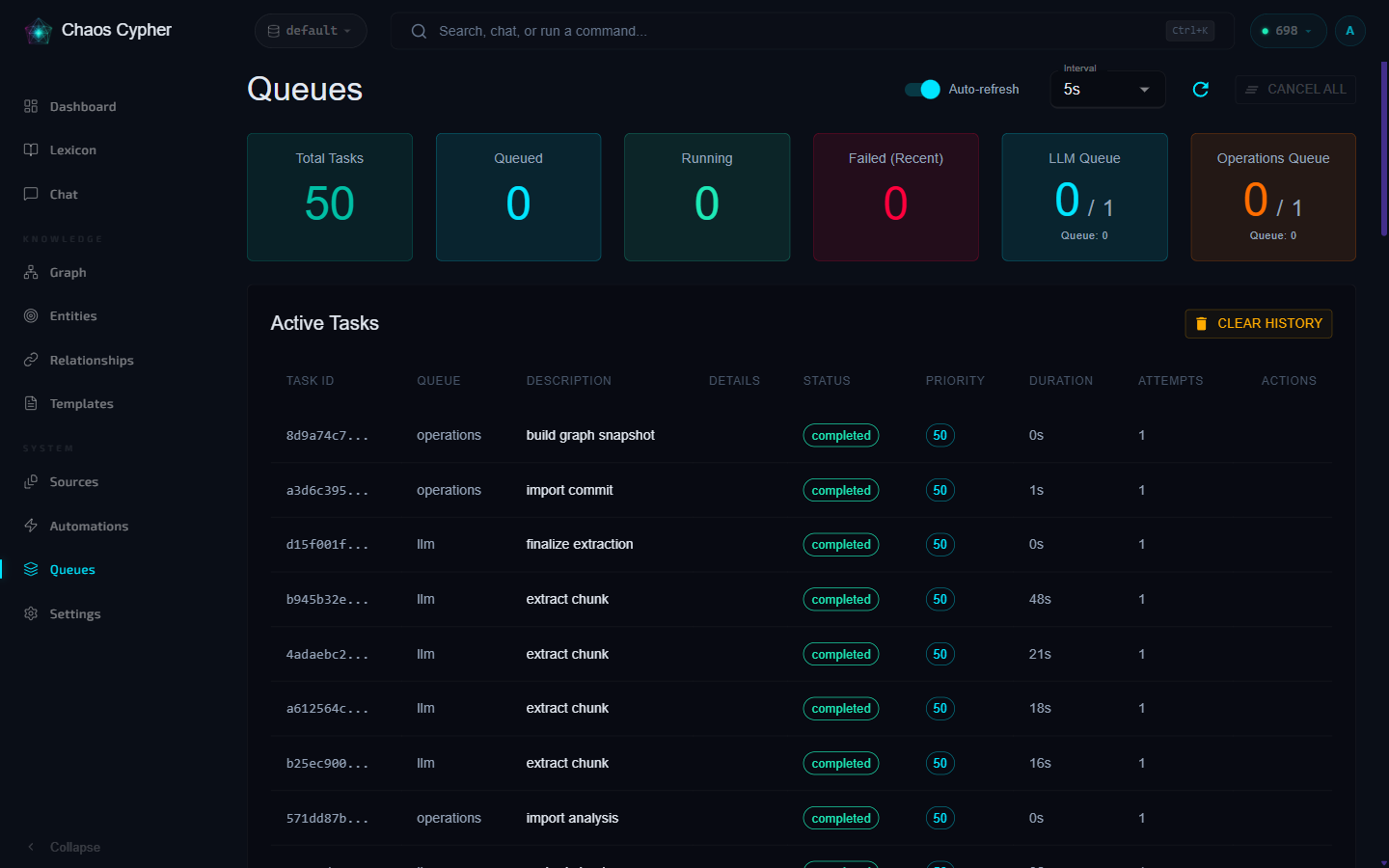
Click Run on a workflow to execute it. Progress is displayed in real-time with step-by-step status updates.
POST   /api/v1/workflows/{id}/executions                    # Execute workflow (returns 202 + execution_id)
GET    /api/v1/workflows/{id}/executions                    # List execution history
GET    /api/v1/workflows/{id}/executions/{eid}              # Get execution details
POST   /api/v1/workflows/{id}/executions/{eid}/cancel       # Cancel execution
GET    /api/v1/workflows/{id}/stats                         # Execution statistics
See the Workflows API Reference — Executions for request/response details.
Import/Export
Share workflows between databases or back them up:
- Web UI
- CLI
- API
JSON workflow export/import is currently API-only — there are no export/import buttons in the web UI. Use the API endpoints below, or the CLI's CCX package commands.
# Export as part of a CCX package
chaoscypher graph package export --output my-workflows.ccx

# Import from a CCX package
chaoscypher graph package load my-workflows.ccx
GET    /api/v1/workflows/{id}/export    # Export workflow to JSON
POST   /api/v1/workflows/import         # Import workflow from JSON
See the Workflows API Reference — Import/Export for request/response details.
Triggers
Triggers connect events to workflow execution. A trigger is not a fixed "type" — it binds a workflow to an event_source string (convention {entity}.{action}), matched by exact comparison when that event fires.
The workflow builder exposes the following selectable event sources:
| Event Source | Fires when |
|---|---|
manual | Workflow is run manually by a user or API call |
node.create | A new node is added to the knowledge graph (dispatched on extraction commit; powers the default Auto-Embed trigger) |
node.update | An existing node is modified |
node.delete | A node is removed from the graph |
edge.create | A new relationship is added (dispatched on extraction commit) |
edge.update / edge.delete | A relationship is modified / removed |
file.upload | A new file is uploaded for processing |
file.indexed | A file has been chunked and indexed for RAG |
import.complete | Document entity extraction has finished |
custom | A custom/webhook event source |
Today the platform dispatches exactly two events: node.create and edge.create, both fired when extracted entities are committed to the graph (the default Auto-Embed trigger rides on node.create). The remaining sources are selectable but not yet emitted — in particular, editing a node does not fire node.update; manually edited nodes are re-embedded synchronously by the API instead, so no trigger is needed there. See the Triggers API Reference — Event Sources for details.
- Web UI
- API
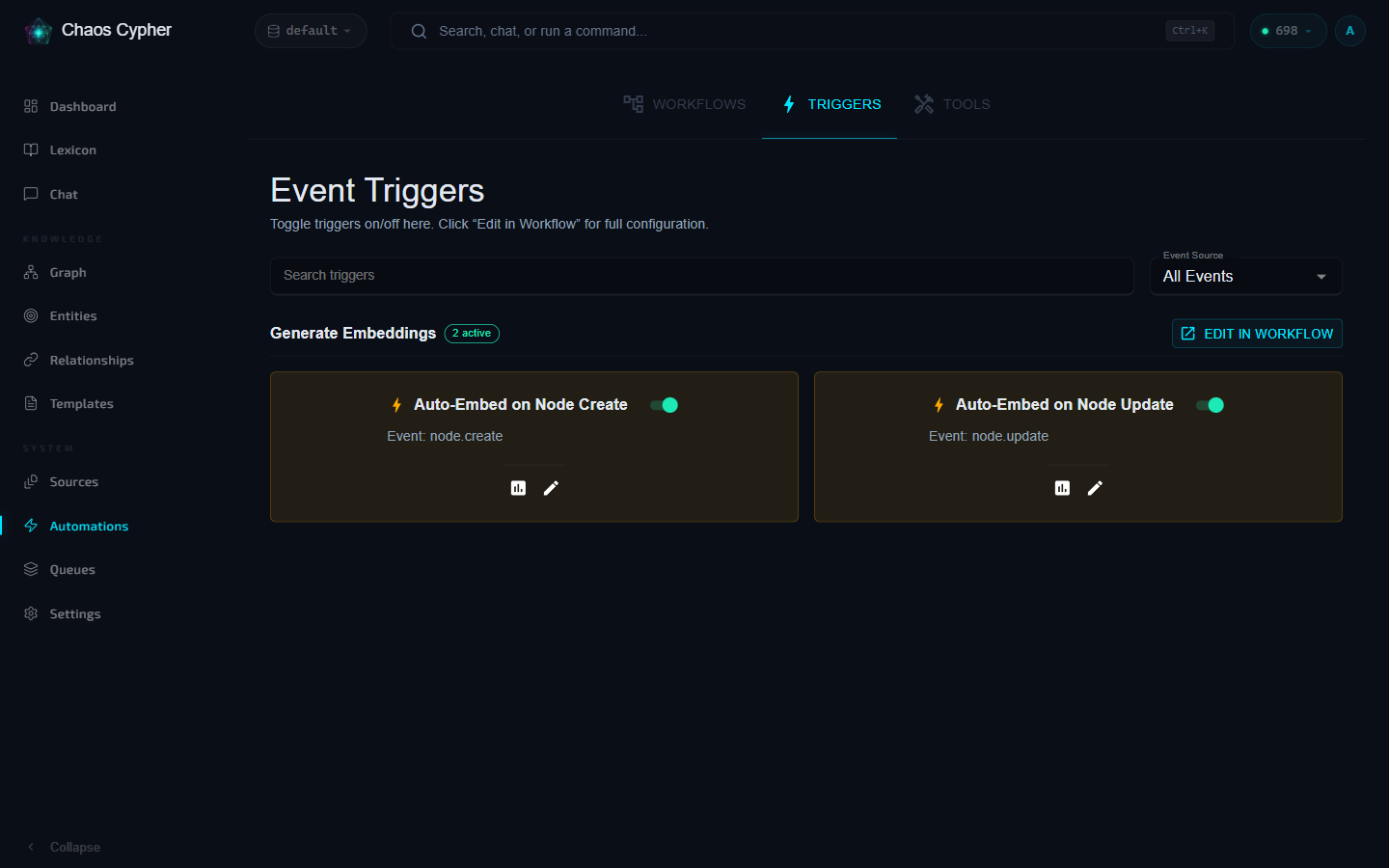
Triggers are managed on the Triggers tab of the Automations page. Toggle a trigger on or off there; for full configuration, use the Edit in Workflow link to open the trigger's workflow in the builder.
GET /api/v1/workflows/{id}/triggers # List triggers for workflow
See the Triggers API Reference for full CRUD operations.
Visual Workflow Builder
The workflow builder provides a visual drag-and-drop canvas for designing workflows. Access it from the Workflows tab on the Automations page in the web UI.
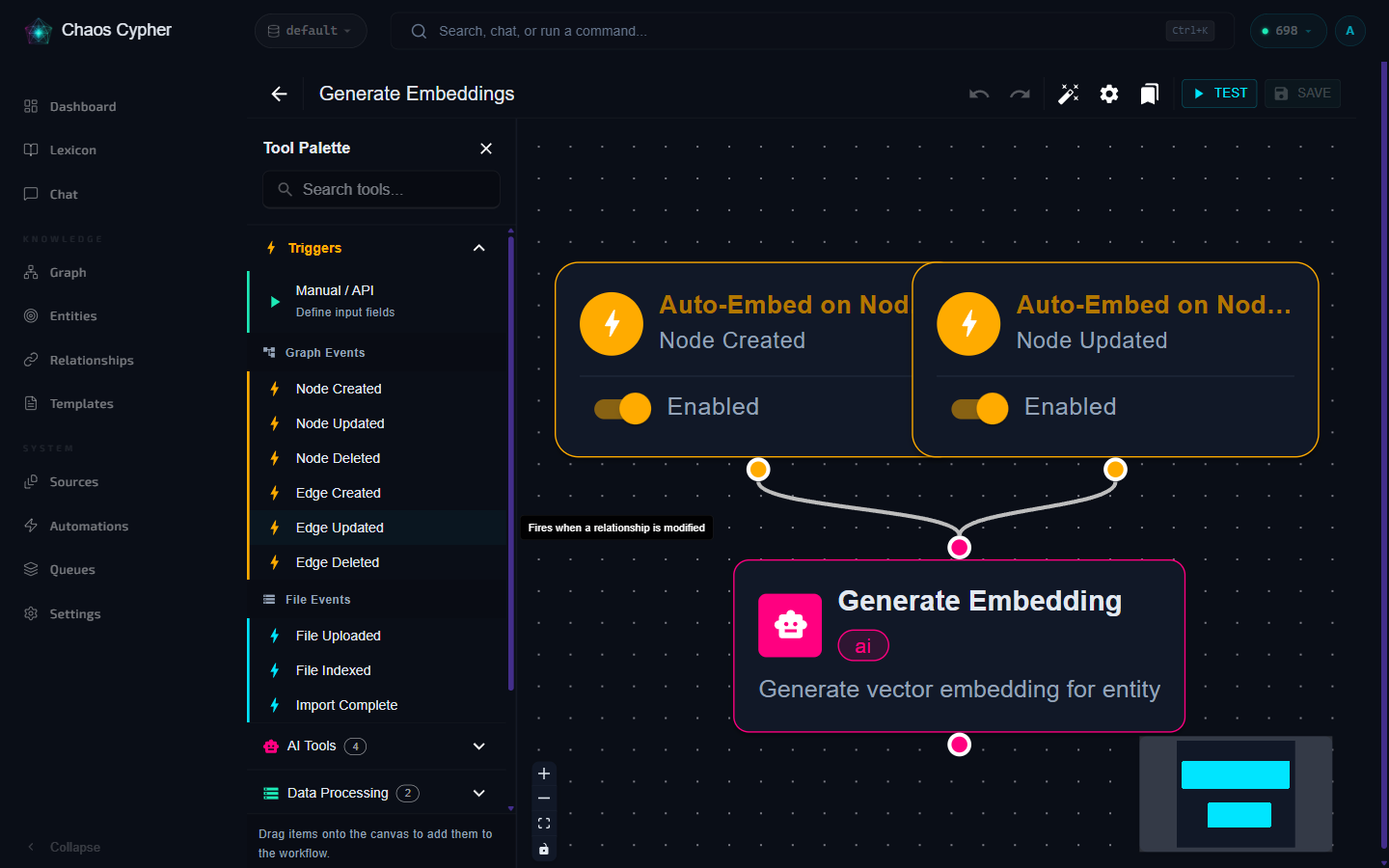
The builder supports:
- Drag-and-drop step placement from the tool palette
- Visual connections between steps
- Conditional branching with condition builder
- Step configuration via properties panel
- Test execution with live progress
- Execution history panel