Build a Private AI Knowledge Graph That Never Leaves Your Machine
Every week, another AI tool asks you to upload your most sensitive documents to someone else's servers. Your contracts, medical records, internal research, personal journals -- all piped through APIs you don't control, stored in logs you can't audit, governed by terms of service that change without notice.
For a lot of use cases, that's fine. But there's a whole class of knowledge that simply cannot leave your network. Healthcare organizations bound by HIPAA. Law firms handling privileged communications. Financial institutions with regulatory obligations around client data. Companies whose competitive advantage lives in proprietary research. Or maybe you just have a journal and you'd rather not feed your inner monologue to a data center in Virginia.
The usual answer is "just don't use AI tools." That's not really an answer anymore. Chaos Cypher paired with Ollama runs a complete AI knowledge graph pipeline -- document ingestion, entity extraction, relationship mapping, semantic search, and conversational chat -- entirely on your local machine. No API keys. No usage limits. No data leaving your network. And it isn't a compromise or a toy demo: it's the same extraction pipeline, the same graph visualization, the same chat interface that works with cloud providers. You're just swapping the LLM backend from a remote API to a local one.
From Zero to Local Knowledge Graph
Here's the full workflow, start to finish. Fifteen minutes if you're following along, five if you've done this before.
Step 1: Install Ollama and pull a model.
Head to ollama.com and install it for your platform. Then pull a model:
ollama pull qwen3:30b-instruct
That downloads the model weights once. After that, Ollama runs as a local API server -- same REST interface as OpenAI, but pointing at localhost:11434.
Step 2: Start the Chaos Cypher stack.
cd packages/docker && docker compose up -d
(Or make docker-up from a repo clone -- same thing.) This brings up the all-in-one container: the Cortex API server, a Neuron background worker, the web Interface, and Valkey for job queuing, all in one box. The compose file points the container at Ollama on your host machine through Docker's host.docker.internal bridge. No external network calls during operation -- the only downloads are the one-time Ollama model pull and a one-time fetch of the embedding model from HuggingFace at first indexing (cached afterwards; air-gapped installs can pre-seed the cache).
Step 3: Upload a document.
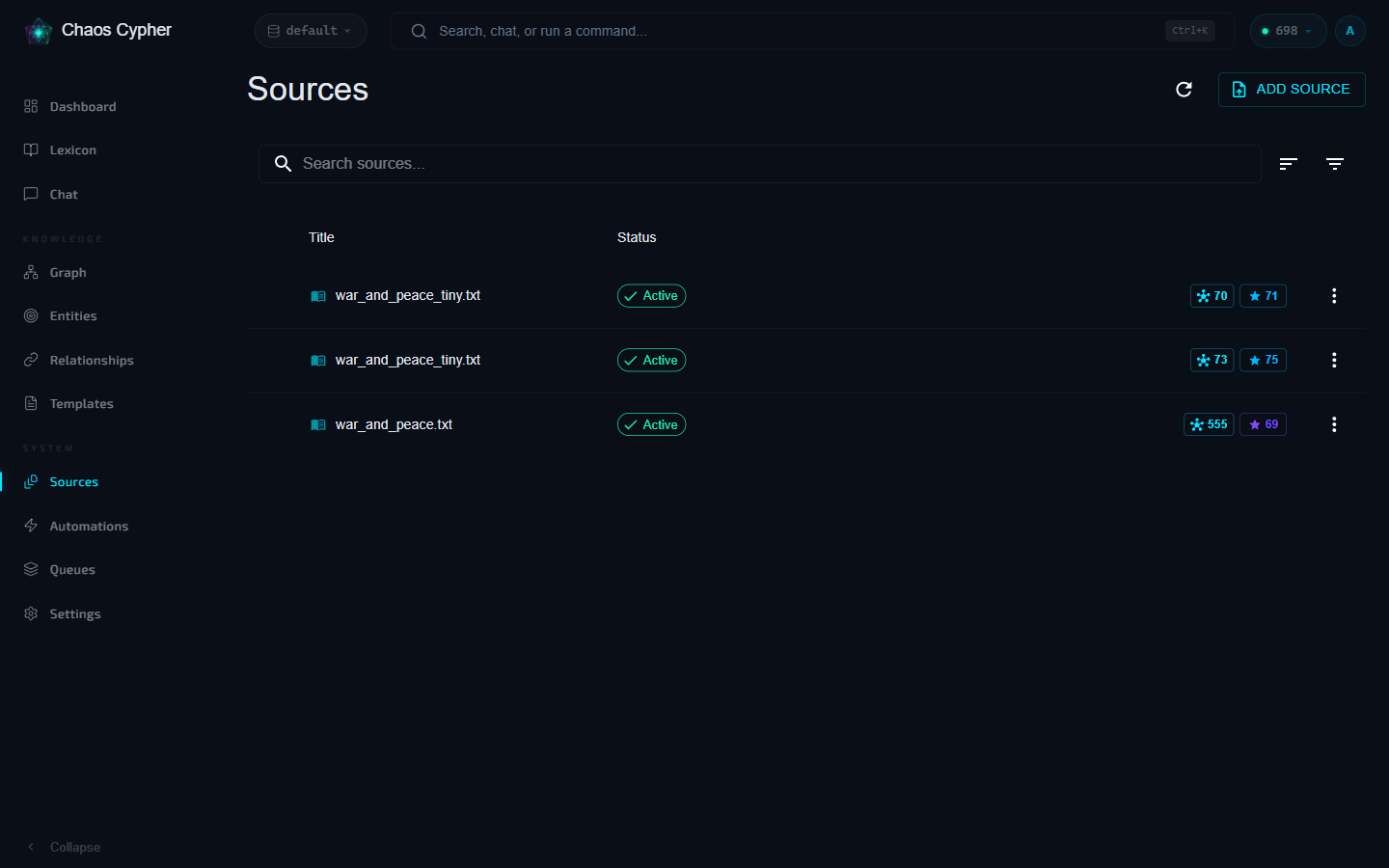
Open http://localhost, create a database (or use the default), and drag a PDF, DOCX, or text file into the Sources page. Chaos Cypher immediately begins indexing -- chunking the document, generating embeddings, and building a search index. This takes about 30 seconds for a 100-page PDF and requires no GPU at all (more on that below).
Step 4: Extract entities and relationships.
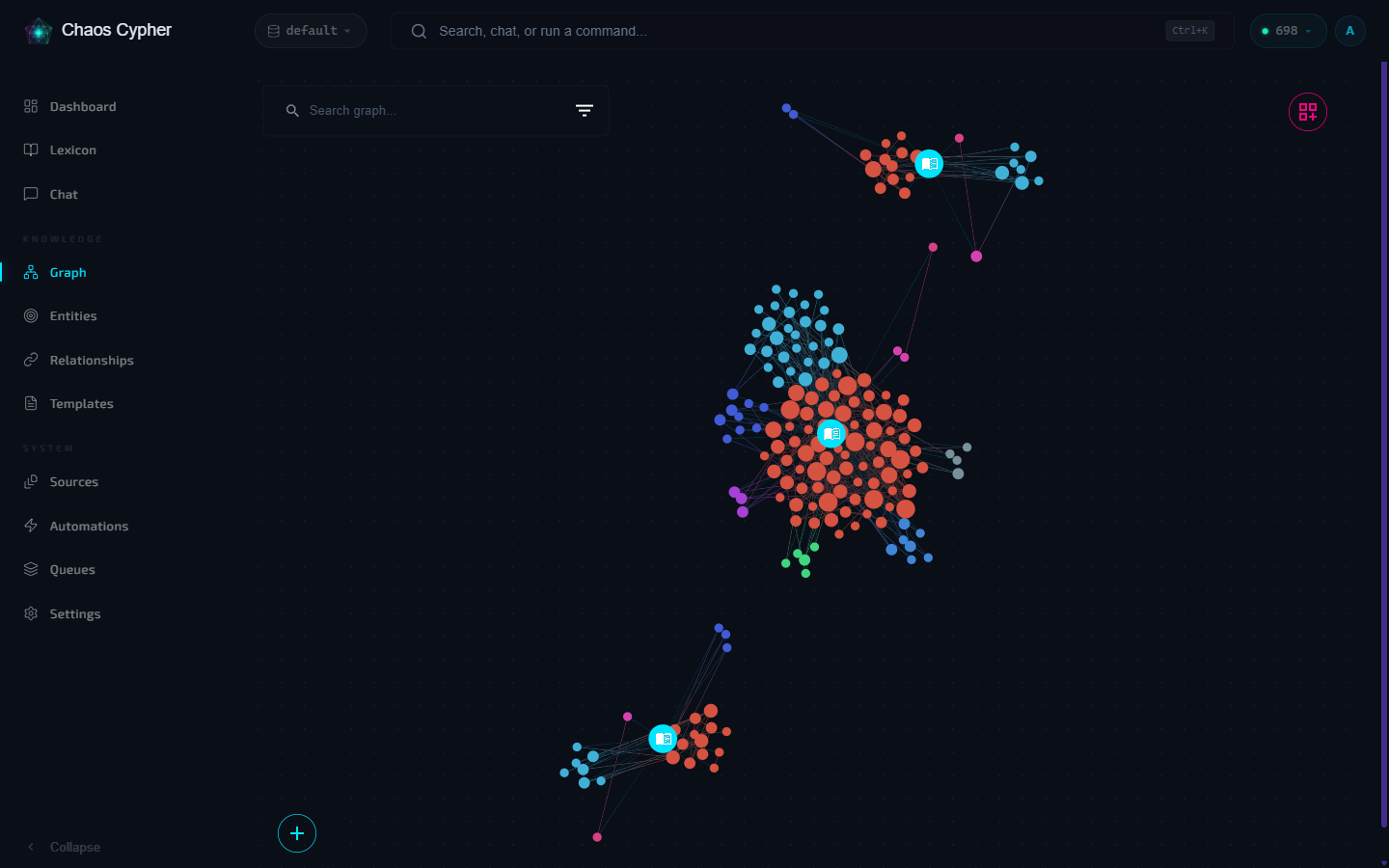
Indexing automatically queues entity extraction. Before the run starts, Chaos Cypher proposes the detected document domain and waits for one click of confirmation (the Review dialog, or pre-confirm in the upload wizard -- see the quickstart) -- confirm and the LLM gets to work: reading through each chunk, identifying entities (people, organizations, concepts, events), discovering relationships between them, and building a structured knowledge graph. The confirmed domain applies domain-specific extraction rules for higher quality results. For a 100-page document with a 30B model, expect roughly 5-10 minutes.
Step 5: Chat with your knowledge graph.
Once extraction finishes and the results are committed to your graph, open the Chat page and start asking questions. The chat system uses RAG (retrieval-augmented generation) to search your indexed documents and graph, then feeds the relevant context to your local LLM for a grounded answer. Everything stays on your machine -- the search, the retrieval, the generation.
Pick Your Preset
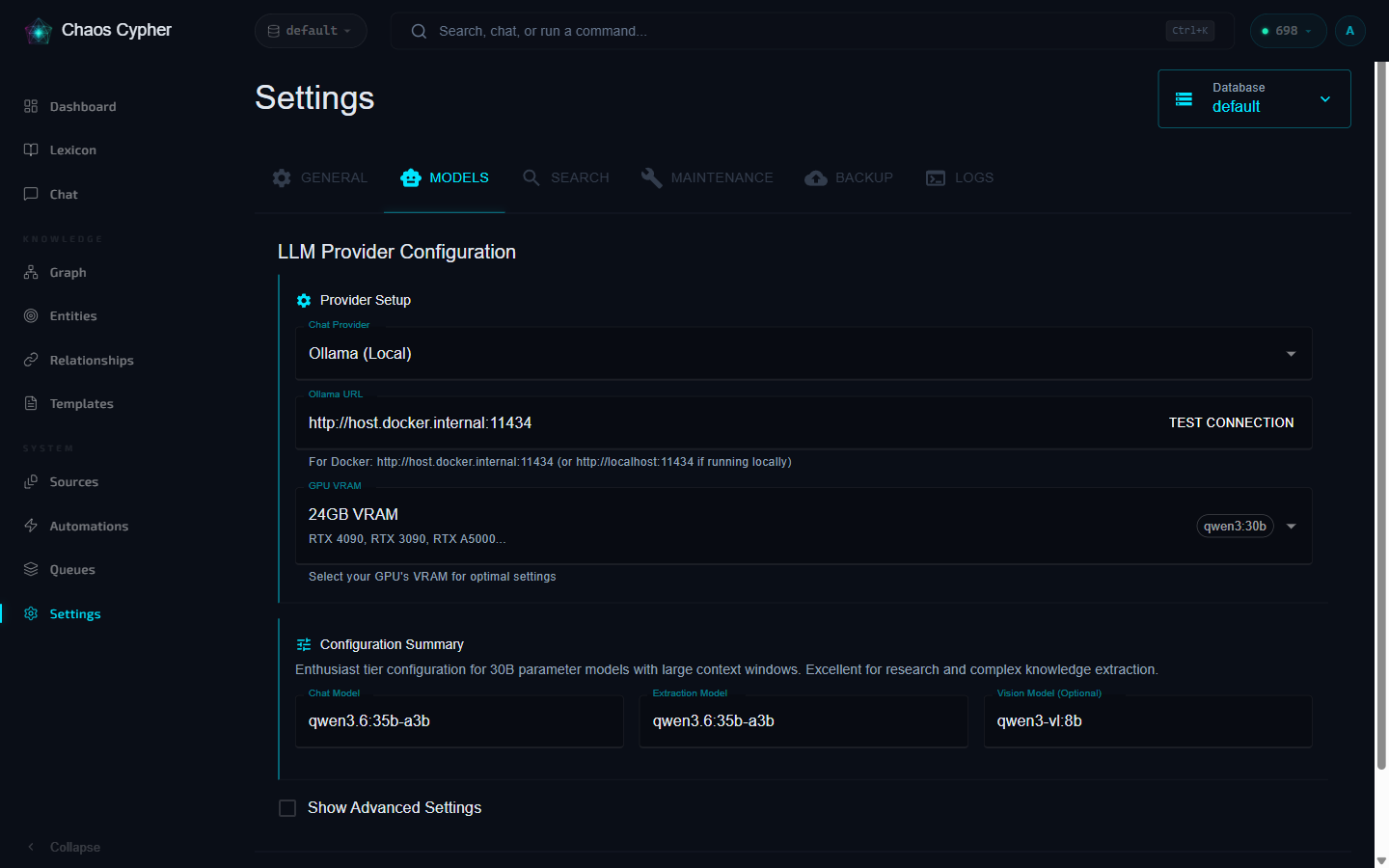
Not everyone has the same GPU. Chaos Cypher ships with VRAM presets that auto-configure the right model, context window, and batch size for your hardware. Select a preset in Settings and it handles the rest.
| VRAM | Chat Model | Extraction Model | Context | GPU Examples |
|---|---|---|---|---|
| 16 GB | Phi4 14B | Phi4 14B | 16K | RTX 4080, RTX 5080 |
| 20 GB | Phi4 14B | Phi4 14B | 24K | RTX A4000, RTX A4500 |
| 24 GB | Qwen3 30B | Qwen3 30B Instruct | 16K | RTX 4090, RTX 3090 |
| 32 GB | Qwen3 30B | Qwen3 30B Instruct | 32K | RTX 5090 |
| 48 GB | Qwen3 30B | Qwen3 30B Instruct | 48K | A6000, 2x 4090 |
| 96 GB | gpt-oss 120B | gpt-oss 120B | 48K | RTX 6000 Pro |
| 128 GB | gpt-oss 120B | gpt-oss 120B | 64K | DGX Spark, AMD Ryzen AI Max+ 395 |
The 24-48 GB presets use two Qwen3 tags -- pull both qwen3:30b (chat) and qwen3:30b-instruct (extraction) with ollama pull before your first extraction.
The sweet spot for most people is 24 GB. An RTX 4090 running Qwen3 30B gives you strong chat quality and solid extraction results. If you're on 16 GB, you'll still get a good experience for chat and search -- extraction quality will be noticeably lower on complex documents, but perfectly usable for straightforward material.
Under the Hood
A few things are worth knowing about how the local pipeline actually works.
Embeddings Are Always Local
Here's something that surprises people: the embedding model that powers semantic search runs on CPU. It has nothing to do with Ollama or your GPU. Chaos Cypher defaults to Qwen3-Embedding-0.6B, a compact model that downloads once and runs locally via sentence-transformers. Any HuggingFace sentence-transformers model can be used, and cloud providers (OpenAI, Ollama, Gemini) are also supported.
This means semantic search works even if Ollama is offline. It means you can index thousands of documents on a machine with no GPU at all. The embeddings are generated in the Neuron worker during indexing and stored in your local SQLite database (via sqlite-vec). Search queries generate an embedding on the fly, compare it against the index, and return results -- all on CPU, all local, typically in under a second.
Re-ranking also runs locally -- a compact cross-encoder reorders search results by relevance before they reach the LLM, no API calls involved. Details and model options are in the search docs.
Multi-Instance Load Balancing
Have multiple machines with GPUs, or multiple GPUs in one workstation? Configure several Ollama instances and Chaos Cypher load-balances across them (round-robin, least-loaded, or random), with independent health checks and automatic failover -- hot-reloadable from the Settings page, no restart needed. This matters most for extraction: a 500-page document produces hundreds of chunk groups, and spreading them across two or three GPUs cuts extraction time proportionally.
Thinking Mode
Qwen3-style models can reason step by step in <think> tags before answering, and Chaos Cypher detects and handles this automatically -- reasoning is separated from the final response, with graceful fallback for models that don't support it. Thinking is on by default for chat and off for extraction (where it mostly adds latency), but every VRAM preset turns it off for chat too (thinking_for_chat: false) to keep latency and VRAM headroom predictable -- re-enable it under Settings > LLM after applying a preset if you want step-by-step reasoning in chat.
Performance Reality Check
Let's be honest about the tradeoffs, because nobody benefits from hype.
Chat is great locally. Interactive question-answering with RAG retrieval works well on 24 GB+ hardware. The model has context from your documents, it generates coherent answers, latency is acceptable for interactive use. Streaming means you see tokens as they arrive -- the experience feels responsive even when total generation takes a few seconds.
Simple extraction works well. Documents with clear entity boundaries -- people's names, organization names, dates, locations -- extract reliably on local models. Legal contracts with named parties and defined obligations, research papers with cited authors and institutions, meeting notes with action items and owners.
Complex extraction is where you notice the gap. Dense academic papers with nuanced conceptual relationships, documents where entities are implied rather than stated, multi-hop reasoning about how concepts relate to each other -- this is where cloud models with 100B+ parameters still have a meaningful advantage. A Qwen3 30B model closes much of the gap, but the frontier cloud models keep a real lead on the hardest tasks. For many use cases, the local result is more than enough. For others, you'll want to use a cloud provider for the extraction pass and keep everything else local.
The good news: Chaos Cypher lets you mix and match. Use Ollama for chat and search (where privacy matters most, since those are interactive queries about your data), and use a cloud provider for the one-time extraction pass if you need maximum quality. Or keep everything local and accept the quality tradeoff. Your call.
Four Providers, One Interface
Chaos Cypher supports Ollama, OpenAI, Anthropic, and Gemini through a unified interface -- switching is a single config change, and you can mix providers per operation (Ollama for chat, a cloud model for extraction). Same extraction pipeline, same chat system, same search infrastructure either way.
Try It Yourself
Minimal configuration in settings.yaml -- easiest to set via the Settings page in the UI; for the all-in-one container the file lives at /data/settings.yaml inside the container, and for local/CLI runs it's in your platform data directory:
llm:
  chat_provider: "ollama"
  ollama_chat_model: "qwen3:30b-instruct"
  ollama_num_ctx: 32768
The default Ollama URL is http://localhost:11434; the Docker compose file
overrides it to http://host.docker.internal:11434 (via the
CHAOSCYPHER_OLLAMA_URL environment variable), which Just Works™ for the
all-in-one container talking to a host-side Ollama on Docker Desktop. On
Linux Docker Engine (not Docker Desktop), host.docker.internal is not
defined for the all-in-one container -- add
extra_hosts: ["host.docker.internal:host-gateway"] to the compose service,
or set CHAOSCYPHER_OLLAMA_URL to your host's LAN IP. To add multi-GPU
instances, use ollama_instances.
Or skip the YAML entirely -- open the Settings page in the UI, select Ollama as your provider, pick a VRAM preset that matches your GPU, and you're done. The preset fills in the model name, context window, batch size, and extraction model automatically.
Then start everything:
cd packages/docker && docker compose up -d
Upload a document, wait for indexing (30 seconds) and extraction (a few minutes), and you have a working knowledge graph built entirely on your hardware.
A few tips for getting the best results:
- Pull models before starting Chaos Cypher. Run
ollama pull qwen3:30b-instruct(or whichever models your preset uses) before your first extraction. The Neuron worker will wait for Ollama, but pre-pulling avoids the initial download delay. - Monitor VRAM usage. Run
nvidia-smito see how much VRAM your model is using. If you're near the limit, drop to a smaller context window or a smaller model. OOM kills during extraction are recoverable (the job retries), but they're slow. - Start with shorter documents. Your first upload should be a 10-20 page document so you can see the full pipeline complete in a couple of minutes. Scale up once you're comfortable with the output quality.
- Experiment with extraction models. The presets pair specific extraction models with chat models. In the 24-48 GB tiers, the preset pairs the chat model with an instruct-tuned extraction variant (
qwen3:30b-instruct) optimized for structured output; the other tiers use one model for both. If extraction quality isn't where you want it, try the next VRAM tier up -- the jump from 8B to 30B parameters makes a significant difference in extraction accuracy.
What's Next
Running everything locally is the starting point, not the ceiling.
If you outgrow a single GPU, the multi-instance setup lets you spread load across multiple machines on your network -- a small GPU cluster for your team, still fully private, still no cloud dependency. Configure two or three Ollama instances on different machines, point Chaos Cypher at all of them, and extraction workloads parallelize automatically.
When you do need cloud-tier quality for specific tasks, the cloud providers are there. Chaos Cypher doesn't lock you into local-only or cloud-only. You choose per-operation, per-database, whenever you want. The architecture is the same either way -- the only thing that changes is where the LLM inference happens.
The privacy argument isn't really about paranoia. It's about control. Your knowledge graph is a map of everything you know -- your research, your relationships, your institutional memory. Keeping that map on your own hardware isn't a limitation. It's a feature.